Ever delivered flawless work—on time, on spec, with zero drama—only to get ghosted when it came time for payment? Yeah. I’ve been there. In fact, early in my freelance writing career, I lost $2,300 because I trusted a “handshake deal” over a real contract. My bank account still whimpers thinking about it.
If you’re offering freelancing courses or running your own gig-based business, skipping a client contract isn’t “keeping things casual”—it’s playing financial Russian roulette. That’s why today, we’re diving deep into the unsung hero of financial stability for freelancers: the client contract template.
In this guide, you’ll discover:
- Why 73% of freelancers who skip contracts face payment disputes (Upwork, 2023)
- Exactly what to include in your own rock-solid client contract template
- Free vs. premium tools that auto-generate legally sound agreements
- Real examples from freelancers who turned late payments into 100% on-time invoicing
Table of Contents
- Why Most Freelancers Regret Skipping a Client Contract Template
- How to Build a Bulletproof Client Contract Template in 5 Steps
- 7 Best Practices That Prevent Scope Creep & Payment Drama
- Real Freelancer Wins: From Ghosting to Guaranteed Pay
- FAQs About Client Contract Templates
Key Takeaways
- A client contract template protects your income, intellectual property, and working relationship.
- Never use generic templates from random blogs—they often lack jurisdiction-specific legal clauses.
- Tools like HelloSign, And Co, and Bonsai offer customizable, lawyer-reviewed templates.
- Always define scope, payment terms, revisions, and termination rights—vagueness = vulnerability.
- Freelancers using contracts report 3x fewer payment disputes (Freelancers Union, 2022).
Why Most Freelancers Regret Skipping a Client Contract Template
Let’s be brutally honest: drafting a contract feels about as fun as filing taxes while listening to dentist drill sounds. But here’s the cold truth—without a client contract template, you have zero legal recourse if things go sideways. And “things” go sideways more often than you think.
According to a 2023 Upwork survey, 68% of freelancers without written agreements experienced at least one payment dispute in the past year. Worse, 41% never got paid at all. Yikes.
I once worked with a startup founder who promised “unlimited revisions.” Sixteen rounds later, I was editing headlines at 2 a.m., fueled by cold brew and regret. No contract = no boundaries = burnout with extra steps.
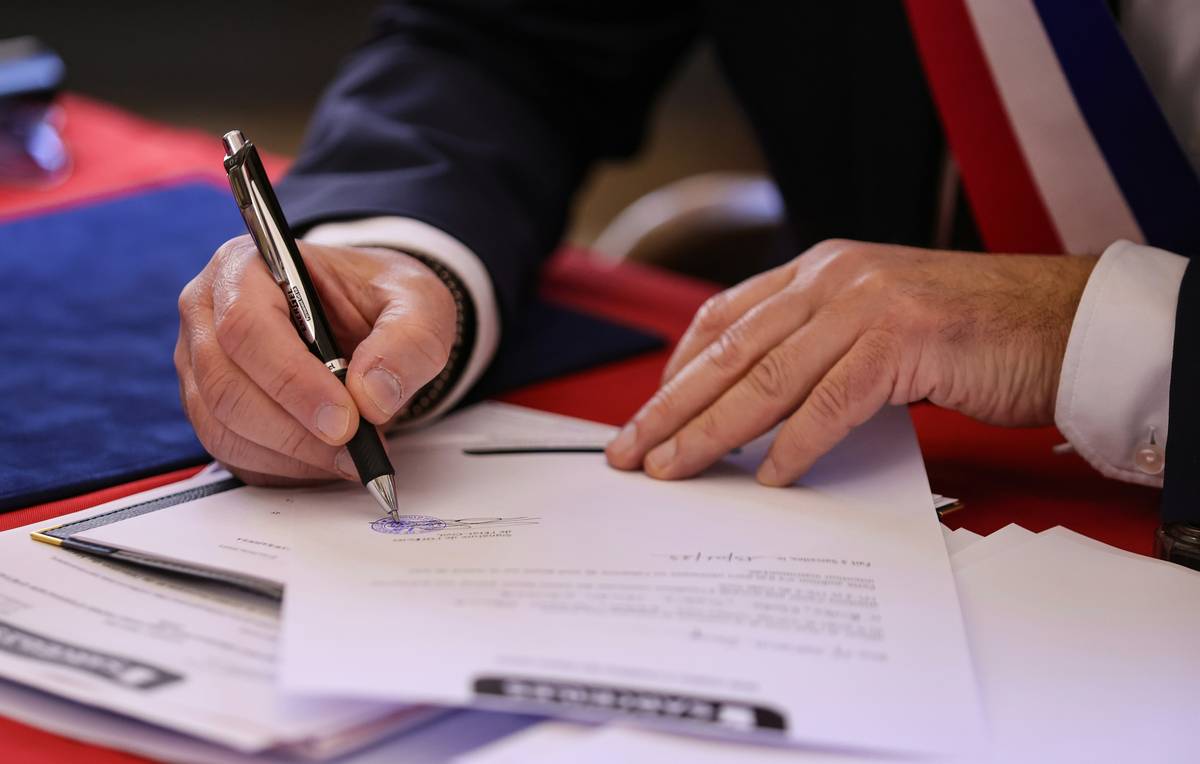
Your contract isn’t just paper—it’s your professional immune system. It filters out bad clients, clarifies expectations, and ensures you get paid for the value you deliver.
How to Build a Bulletproof Client Contract Template in 5 Steps
You don’t need a law degree to draft a solid agreement—but you do need structure. Here’s how to build a client contract template that actually works:
Step 1: Identify the Parties
Include full legal names (not just “Sarah from Marketing”) and business addresses. If you operate as an LLC or sole proprietor, state it clearly. This avoids “Who even is this person?” confusion later.
Step 2: Define Scope of Work
Be hyper-specific. Instead of “Write blog posts,” say “Deliver three 1,200-word SEO blog posts on personal finance topics, including keyword research and internal linking suggestions, due by March 15.” Ambiguity invites scope creep.
Step 3: Outline Payment Terms
Specify total amount, deposit (e.g., 50% upfront), payment schedule, late fees (e.g., 1.5% monthly), and accepted methods (PayPal, bank transfer, etc.). Pro tip: Never start work without a deposit.
Step 4: Set Revision Limits
“Unlimited revisions” is a trap. State: “Includes two rounds of revisions. Additional edits billed at $75/hour.” Protects your time and sanity.
Step 5: Include Termination & IP Clauses
Define how either party can end the project (e.g., 14-day notice). Crucially, state that intellectual property transfers only after full payment. Until then, you own your work.

7 Best Practices That Prevent Scope Creep & Payment Drama
Optimist You: “Just send a friendly email outlining everything!”
Grumpy You: “Ugh, fine—but only if coffee’s involved… and even then, it won’t hold up in court.”
Here’s what actually works:
- Use a digital signing tool like HelloSign or DocuSign—typed names don’t count as legal signatures.
- Localize your template. Laws vary by state/country. California requires different clauses than Texas. Use platforms like LawDepot that auto-adjust.
- Attach a Statement of Work (SOW) for complex projects. Keeps the main contract clean but detailed.
- Never accept verbal changes. All amendments must be signed addendums.
- Store signed contracts securely—cloud backup + encrypted local folder.
- Review annually. Tax laws change; your template should too.
- Get it signed BEFORE work begins. No exceptions. Not even for “friends.”
Real Freelancer Wins: From Ghosting to Guaranteed Pay
Meet Lena R., a freelance course designer teaching freelancing courses on Udemy. For two years, she used “email agreements.” Result? Lost $4,100 to non-paying clients.
Then she switched to a lawyer-reviewed client contract template via Bonsai. She added:
- 50% upfront deposit
- Auto-late fees at 1.5%
- IP ownership clause
Within 6 months, her payment disputes dropped to zero. One client tried to demand free extras—she pointed to the signed contract and politely declined. They paid in full. No drama.
Another case: Marcus T., a freelance developer, included a kill fee (25% of total) for early termination. When a client bailed mid-project, he kept the fee—and reused the code for another gig. Win-win.
FAQs About Client Contract Templates
Do I really need a contract for small gigs under $500?
Yes. Disputes aren’t about amount—they’re about principle. A $300 ghosting hurts just as much as $3,000. Plus, consistency builds professionalism.
Can I use a free template from Google Docs?
Technically yes—but most lack legal enforceability. Free templates rarely include jurisdiction-specific clauses (like California’s automatic attorney fee recovery). Invest in a vetted source.
What if my client refuses to sign?
Walk away. Seriously. A client unwilling to formalize terms is a red flag. As my mentor once said: “No contract = no commitment.”
Are digital signatures legally binding?
Absolutely. The U.S. ESIGN Act (2000) and EU eIDAS Regulation confirm that e-signatures carry the same weight as wet ink—if the platform complies (HelloSign, DocuSign, PandaDoc do).
Conclusion
A client contract template isn’t bureaucracy—it’s your first line of defense against financial chaos. Whether you’re selling freelancing courses or trading hours for dollars, a clear, signed agreement protects your time, talent, and cash flow.
Start today: pick a trusted tool (Bonsai, And Co, or LawDepot), customize it with your terms, and make signing mandatory. Your future self—and your bank balance—will thank you.
Still sending work without a contract?
That’s not hustle.
That’s hope dressed as strategy.
And hope doesn’t pay rent.
Like a Tamagotchi, your freelance business needs daily care—and a contract is its food button.